Ubuntu 26.04 on the OrangePi 4 Pro
For a while I have had an interest in running Linux on non-x86 platforms and looking forward to the time where an Arm64 small board computer can replace a more traditional desktop for productivity related daily driving. One major motivation is that I have long dreamed of having a small all in one computer like the classic Macintoshes without much of the bloat and size inflation.
After I encounted a portable 14 inch monitor with a built in enclosure intended for a Raspberry Pi 3 or 4 for sale, I put together my first iteration of thee concept using an Amlogic 311D based Libre Computer Alta as the brain. The Alta performed admirably, except for the tendency of web browsers to push the system into pessimum Out of Memory states when AJAX heavy web apps were loaded in more than one tab. LinkedIn was the worst offender on this front. Despite running Morrowind in 1920x1200 at playable framerates, the Alta’s 4GB of RAM presented serious constraint on its usefulness. Photo and video editing were reasonably smooth considering thee Alta has as much RAM as a serious late 1990s to early 2000s workstation with an even greater number of processor cores. Only upon opening multiple web apps did the Alta fail to satisfy! Thanks to a UEFI bootloader, running any generic Arm64 Linux distro was straighforward. If only the A311D supported more than 4GB of RAM, a higher RAM version of the board would have been an excellent daily driver.
Thusly, the search for an affordable candidate with more RAM began. Limiting myself to boards with a Pi 4 class power consumption, I settled on the OrangePi 4 Pro with 12GB of RAM due to market conditions. Similar Rockchip powered boards with similar RAM were considerably more expensive than the Allwinner A733 powered Orange Pi 4. I suspect the price gap to largely be the result of better mainline kernel support for Rockchip than the Allwinner with its Imagination BXM-4-64 GPU.
LibreComputer Alta vs OrangePi 4 Pro
- A311D (4 Cortex-A73 and 6 Cortex-A53) vs A733 (2 Cortex-A76 and 6 Cortex-A55)
- The OrangePi 4 Pro features an NVME slot in addition to an EMMC option which both boards feature
- The OrangePi 4 Pro is physically longer which may make it a challenge to fit in enclosures designed for other boards with the same form factor
- The Alta’s UEFI bootloader is an excellent feature that I would like to see from more SBC vendors. Installing any Linux or BSD that supports the hardware from a generic image offers a better experience for me as an end user.
- The Alta comes with a heatsink installed. The OrangePi 4 Pro did not.
- The Alta required zero modifications to fit the enclosure designed for a Raspberry Pi.
Setting Up the OrangePi 4 Pro
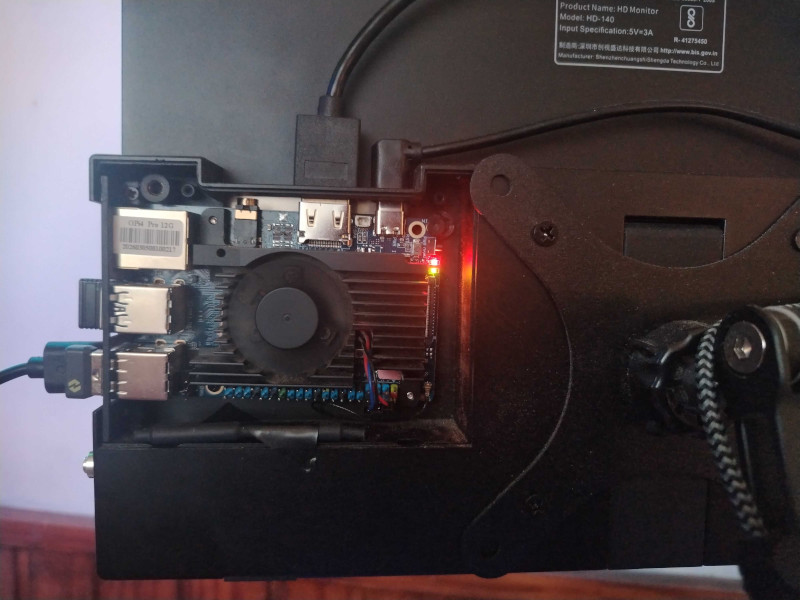
Before installing anything, some hardware modifications were in order to fit a heatsink and the monitor’s built in enclosure.
I began with the highest risk modification, removing one of the MIPI-CSI interfaces to fit my chosen active cooling heatsink.
This was followed by removing the oddly placed 4 pin header labled LAN.
After modifying the board, I moved on to using a chainsaw file to machine some space to accomodate the audio jack from the heatsink’s aluminum block.
Last, I removed a plastic post from the enclosure to accomodate the board’s length.
All put together it looks like:
After writing the vendor’s Ubuntu Resolute image to a microSD, we can boot for the first time and use the Armbian based installer to write to either an NVMe or EMMC device.
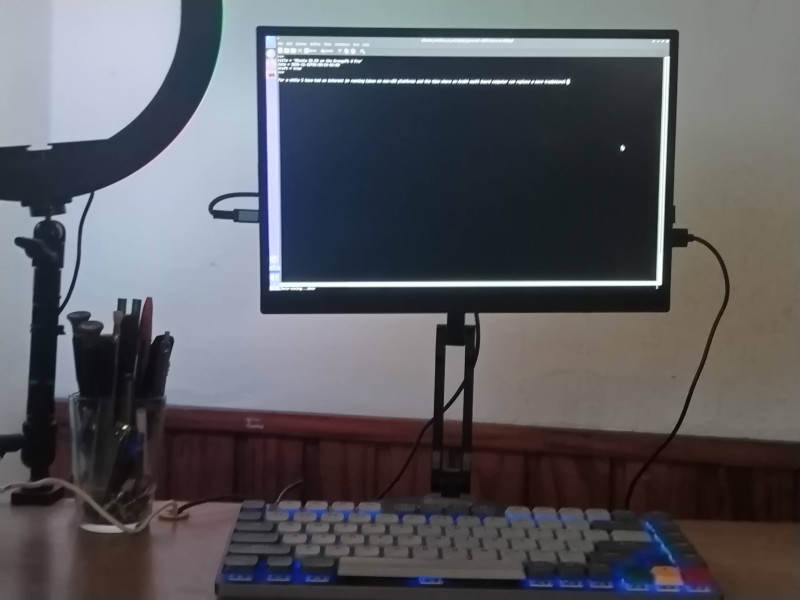
Front:
The Experience of Performance
The A733 runs smoothly for most tasks. It plays 1080p video smoothly, though the Imagination BXM-4-64 GPU limits its potential beyond very retro games. Framerates for Morrowind at 1920x1200 were unplayable hovering around 6 to 8 frames per second.
LLMs and Stable Diffusion
One unanticipated bright spot for the A733 was its LLM performance running 1B parameter models. Thanks to the ARM NEON instructions we get through the two Cortex-A76 perfomance cores, near reading speed output in chat is possible, albeit using 1B parameter models on kobold.cpp by limiting it to two threads. Llama-3.2-1B and similarly sized models work well.
To get this performance, I compiled kobold.cpp locally to ensure all availabel CPU optimizations were available.
Image generation with Stable Diffusion is also possible when limiting it to 2 CPU threads to work the performance cores.
The CPU here is the limiting factor. Despite the ample RAM, 3B class models including Phi4-mini are noticably slow. Anything larger including 7B and 8B models become glacially slow. Add reasoning to an 8B model and it is geologically slow.